V-Pass iPad Installation Guide
To ensure proper operation and compatibility, the V-Pass application supports the following iPad models and operating systems:
Device Model | Minimum Supported iPadOS Version | Notes |
|---|---|---|
iPad (9th Generation and above) | iPadOS 16 or higher | Fully tested and supported |
iPad Air (4th Generation and above) | iPadOS 16 or higher | Functionally compatible but not formally tested |
iPad Mini (5th Generation and above) | iPadOS 16 or higher | Functionally compatible but not formally tested |
Make sure that your device is on a high-speed network connection. If the network has restrictions or firewall rules, ask your V-Pass customer success manager for a list of the necessary URLs and domains that will need to be whitelisted by your IT team for inbound and outbound communications to function correctly.
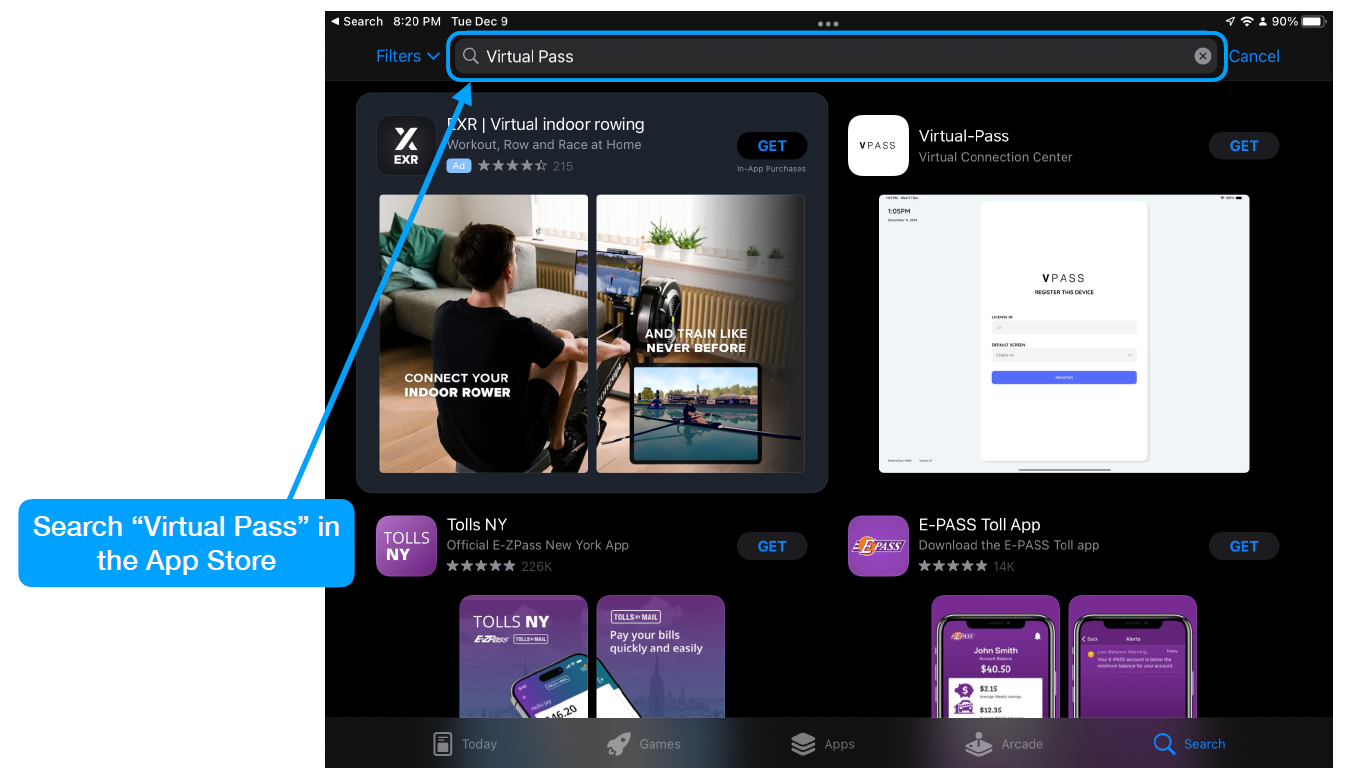
Follow the steps below to install the V-Pass iPad application.
Step 1
Step 2
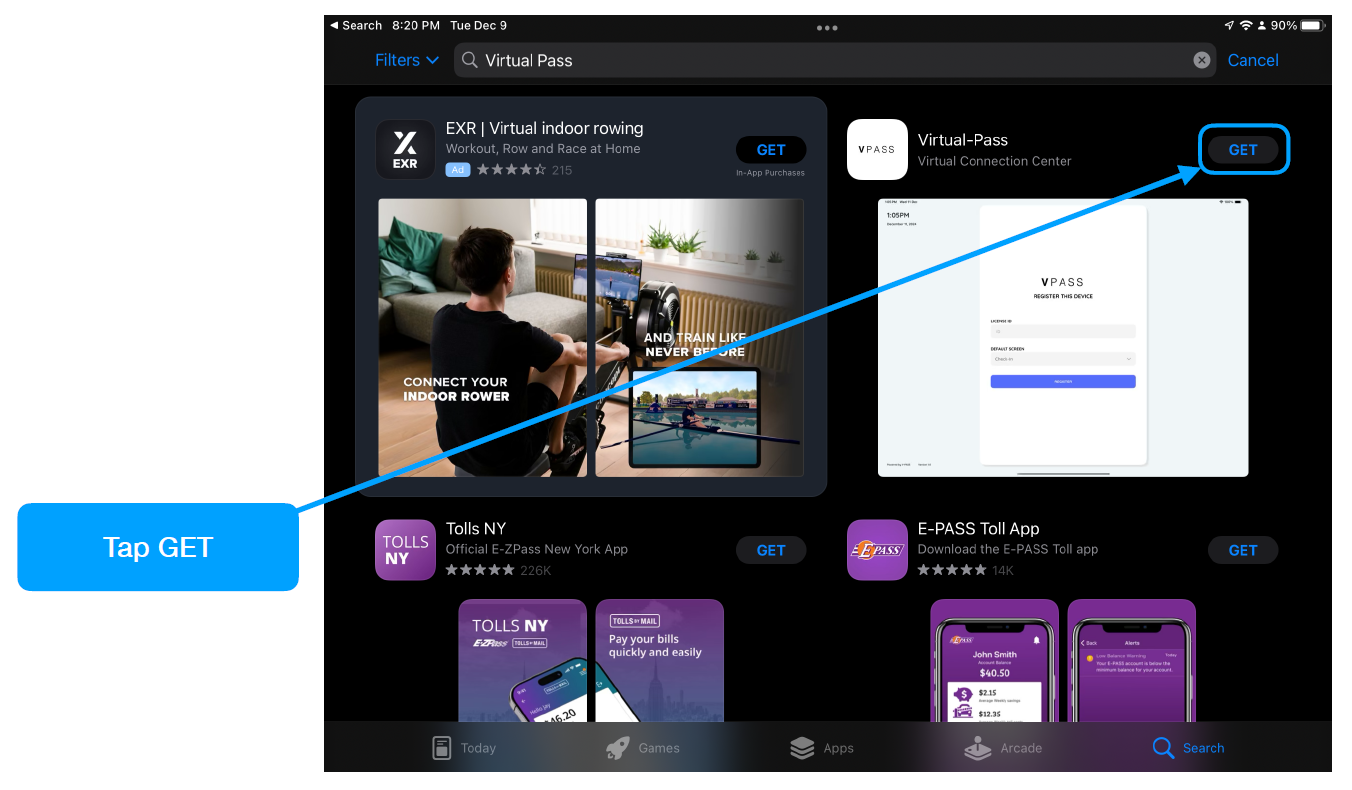
Step 3
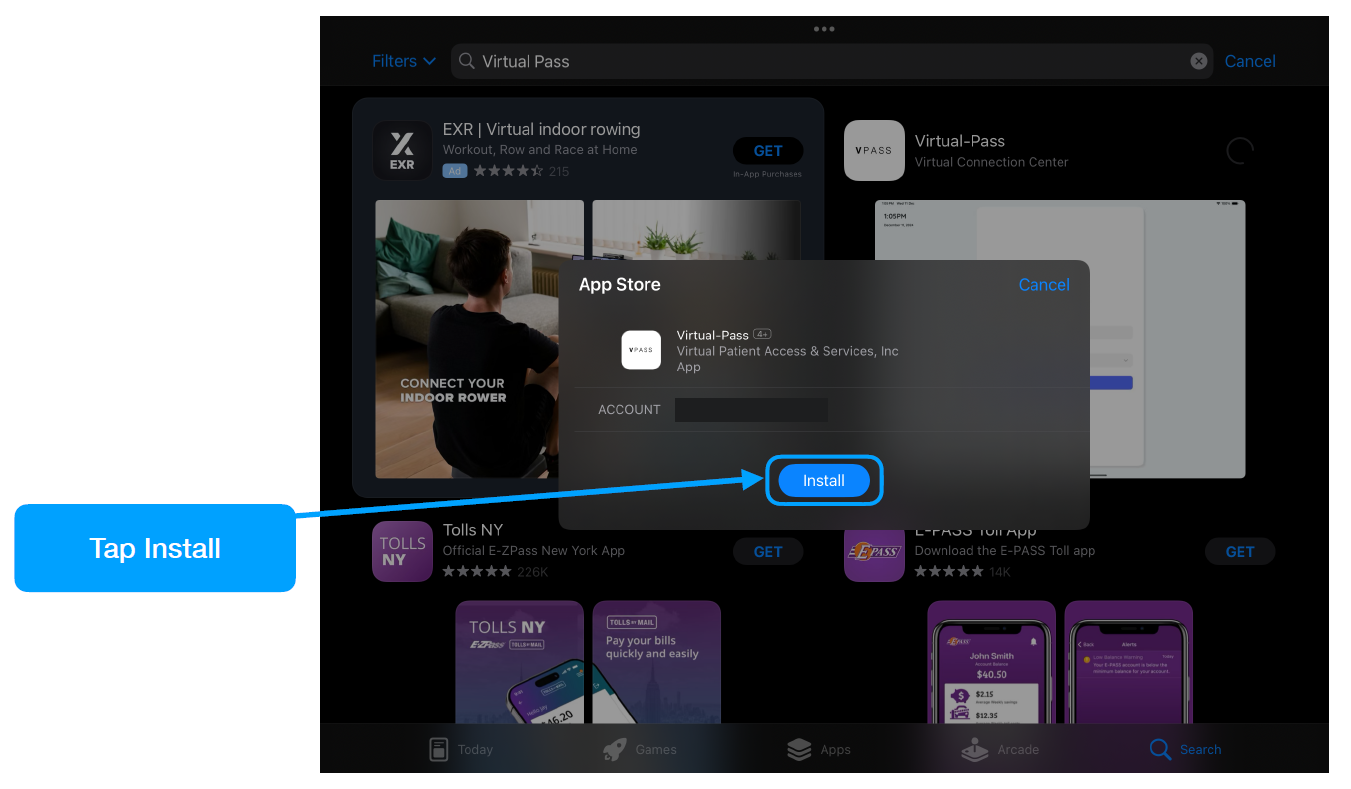
Step 4
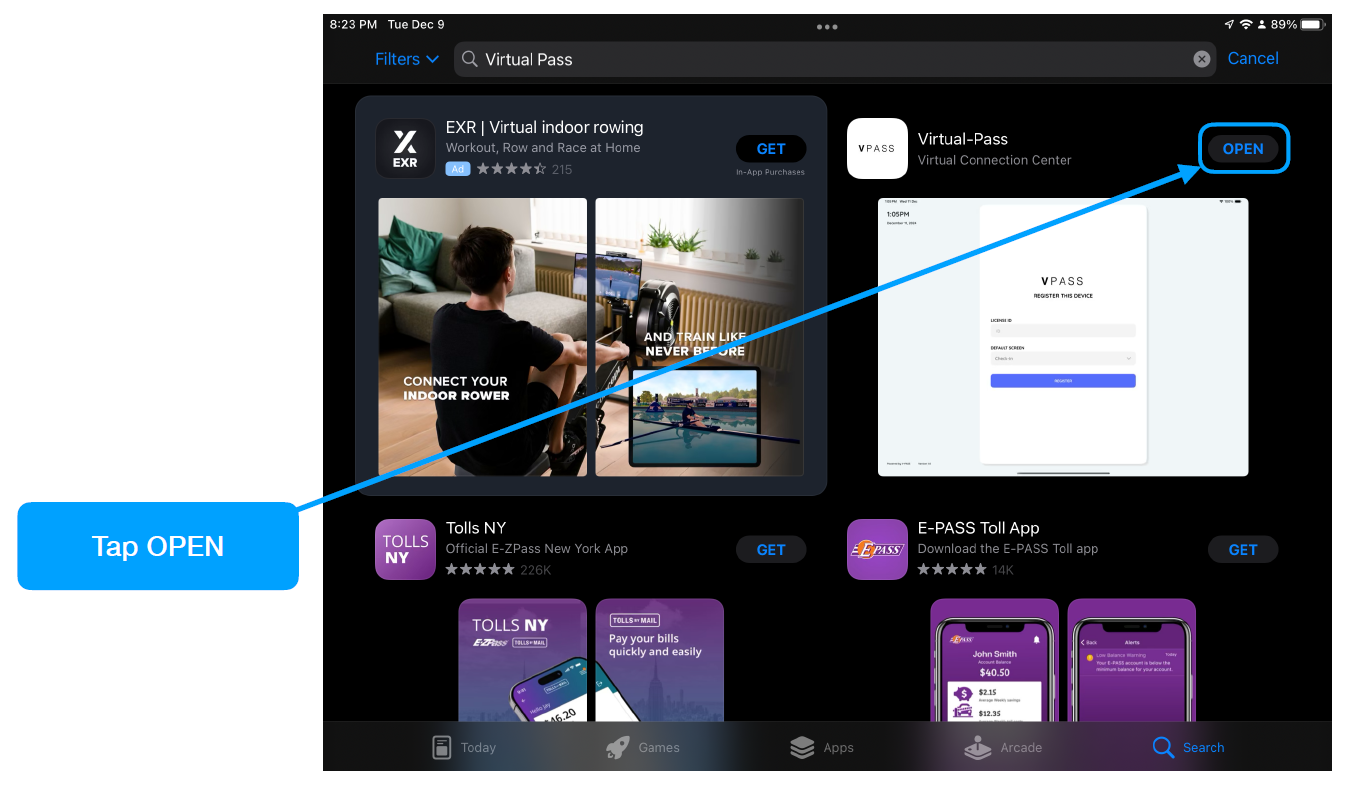
Step 5
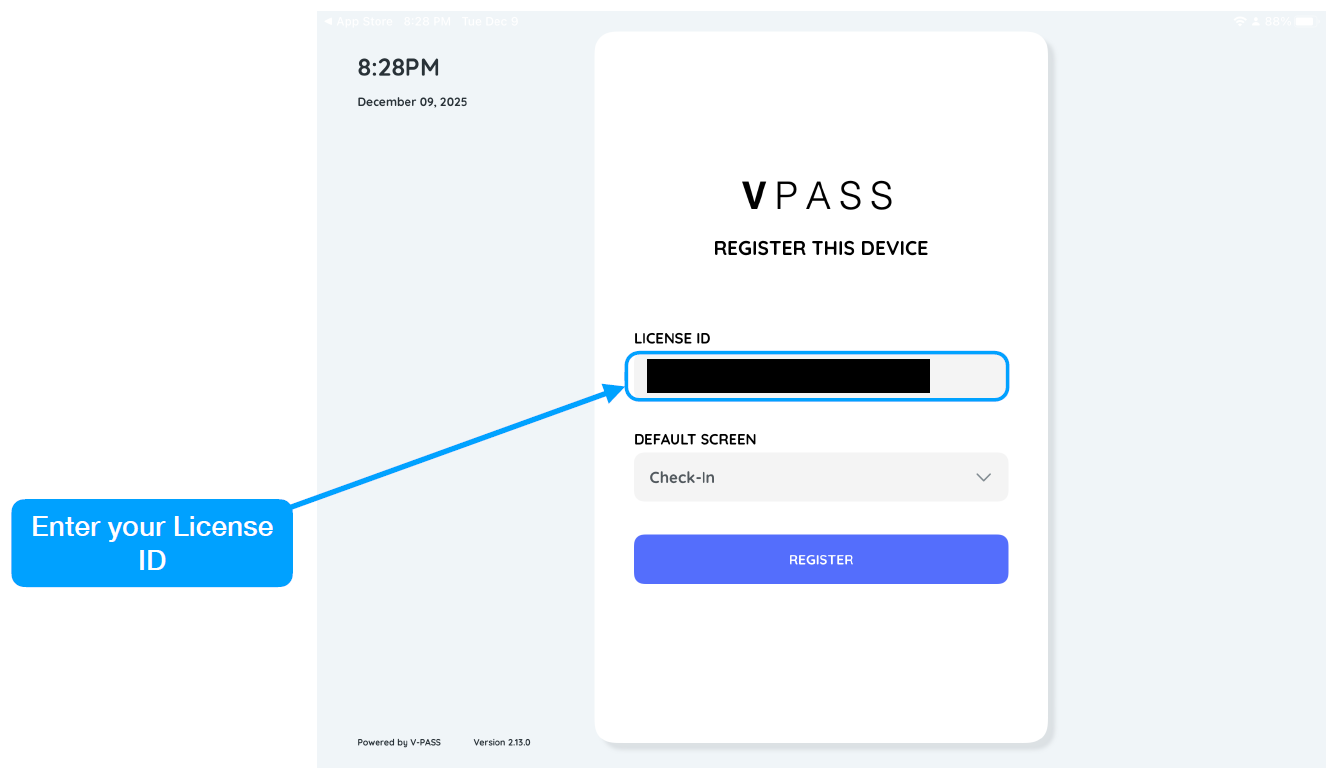
Step 6
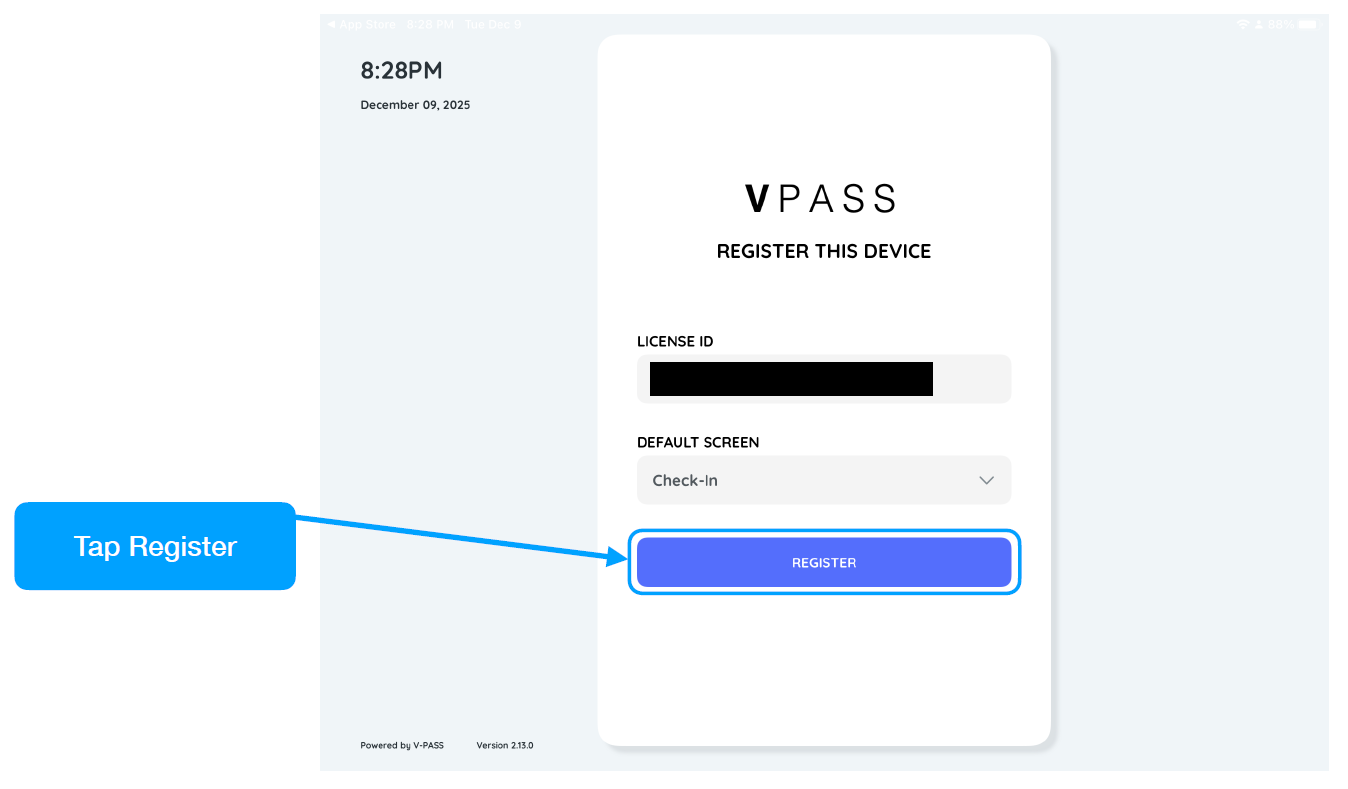
Step 7
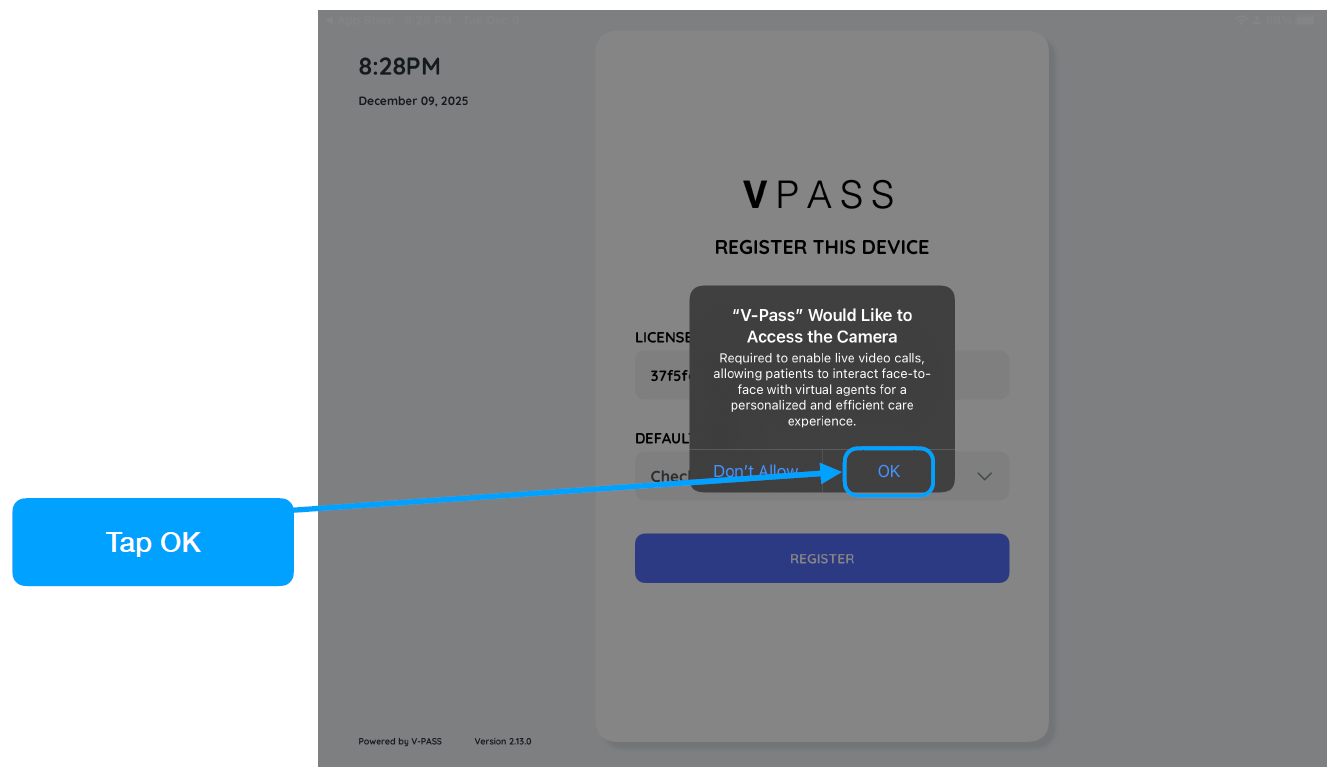
Step 8
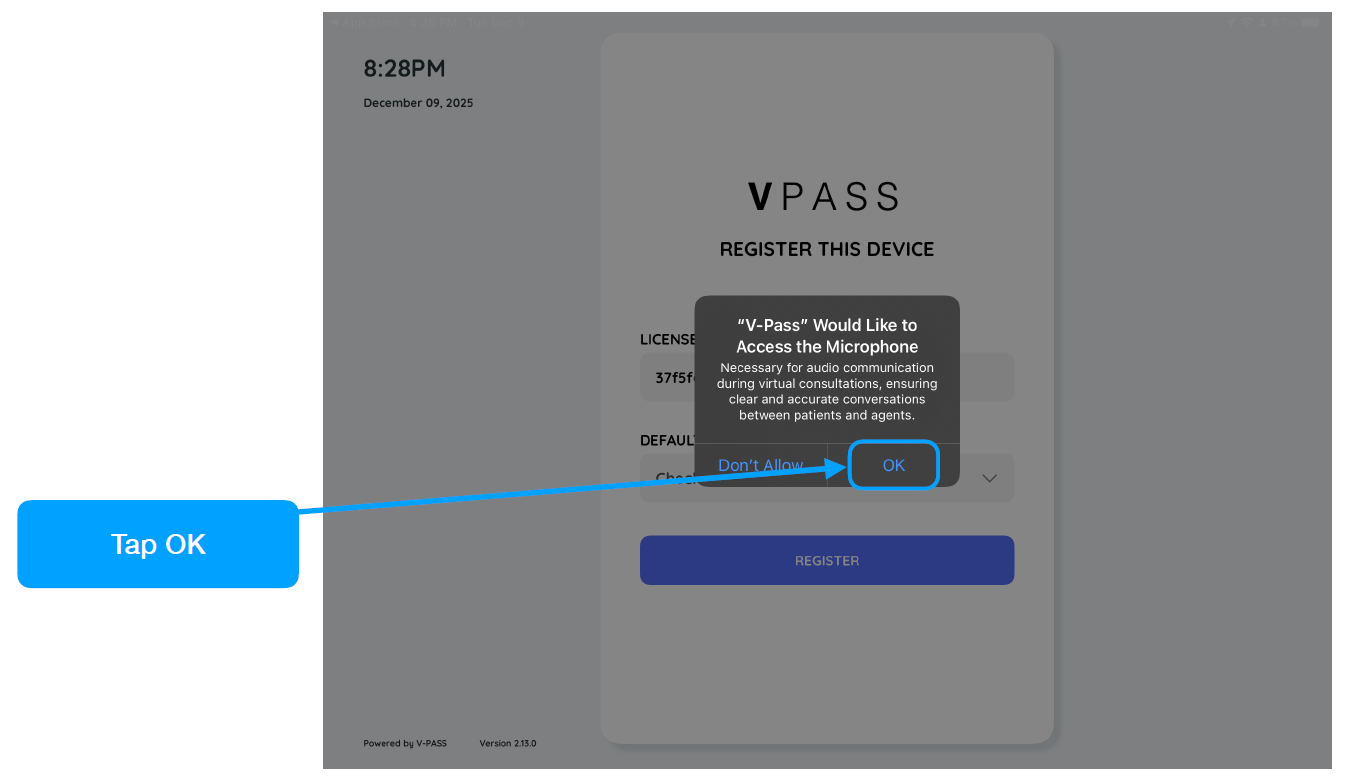
Step 9
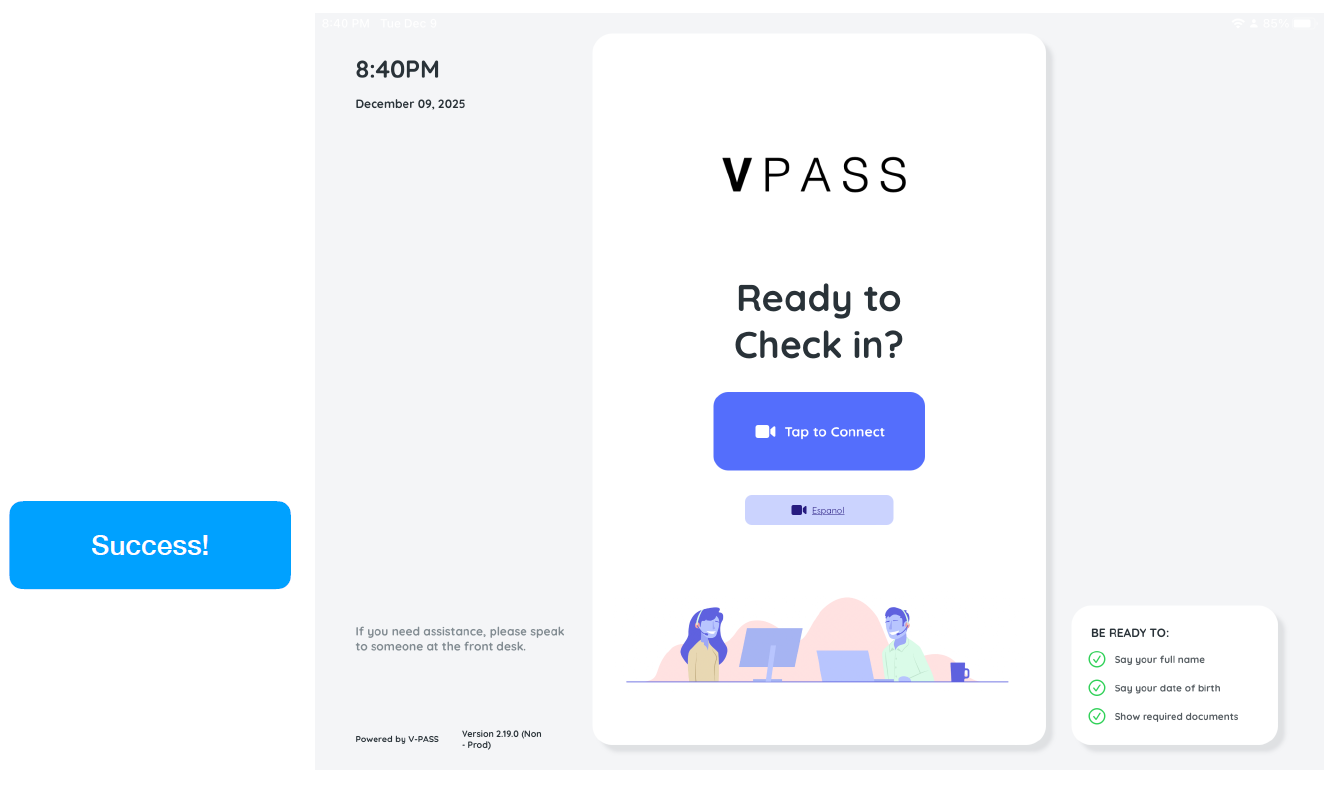
Step 10
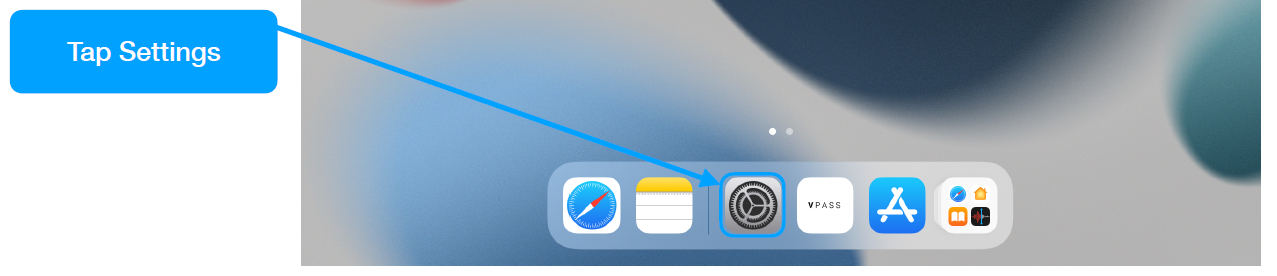
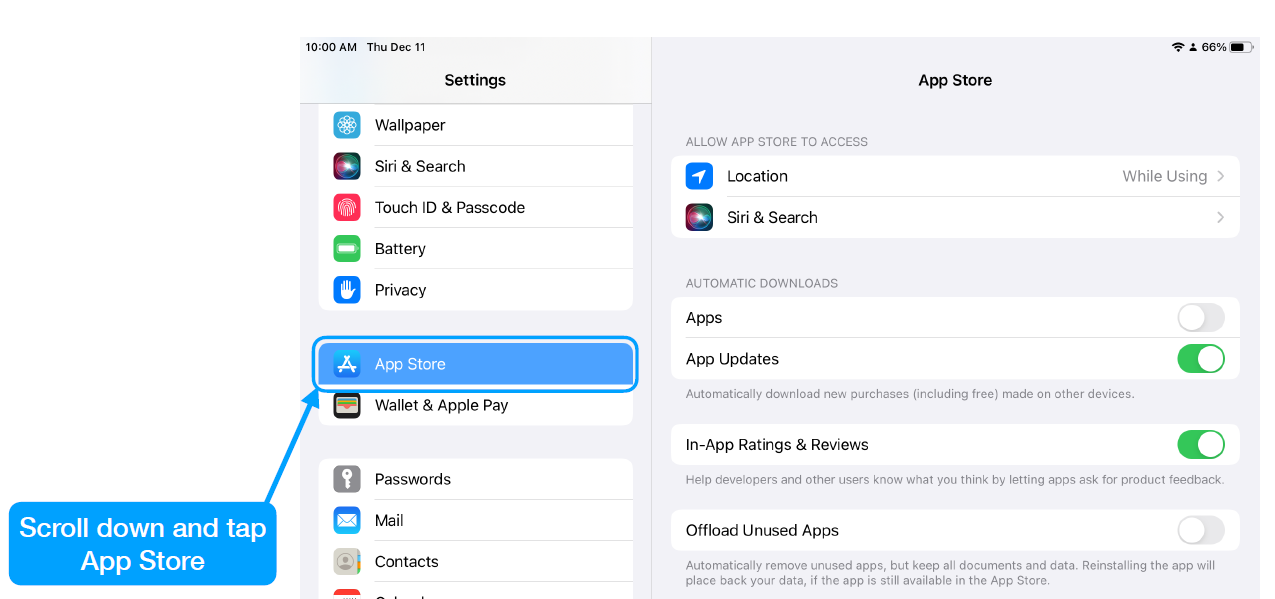
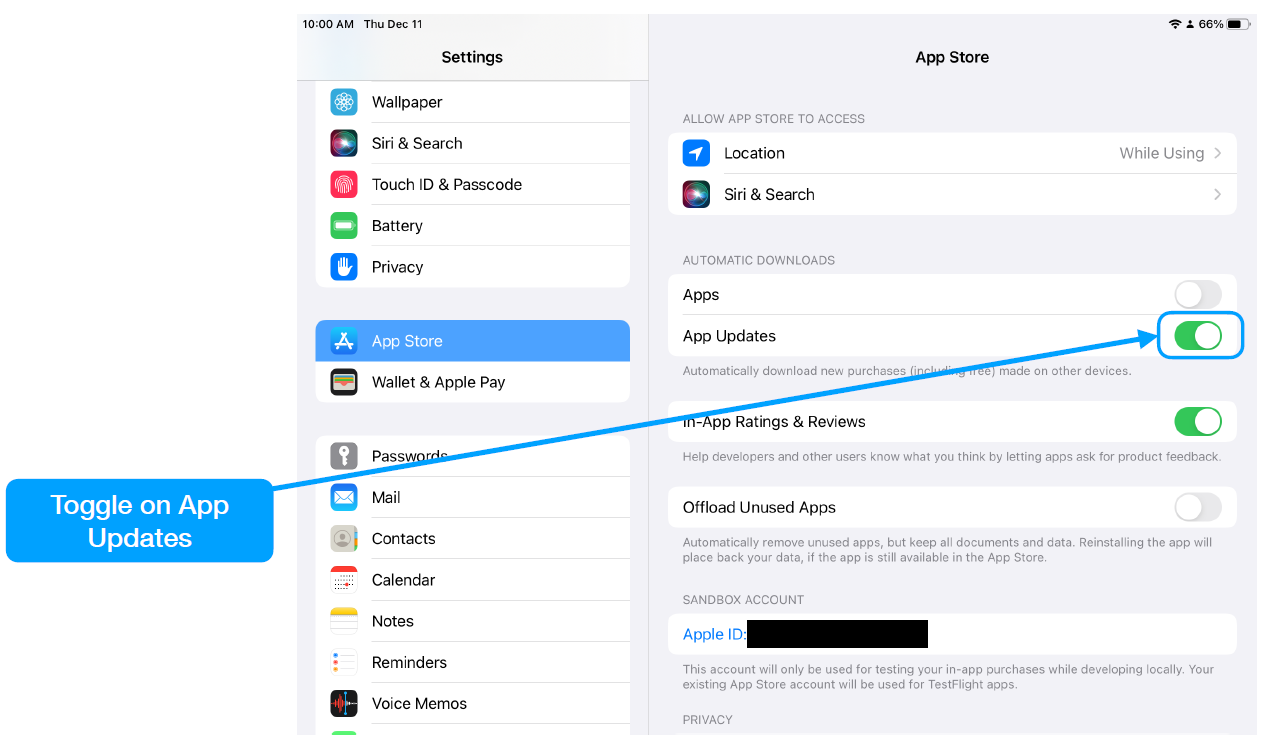
Make sure the iPad device is set up with AppStore auto update enabled.